Help centre
Saved Opportunities
Manage and track your actively pursued bids with a visual Kanban pipeline, moving opportunities through each stage of your workflow.
Overview
- The Saved Opportunities board serves as your central hub for bids you choose to pursue.
- Each saved opportunity appears as a card you can move through stages to reflect its progress.
Accessing the board
- Click Saved in the left-hand sidebar.
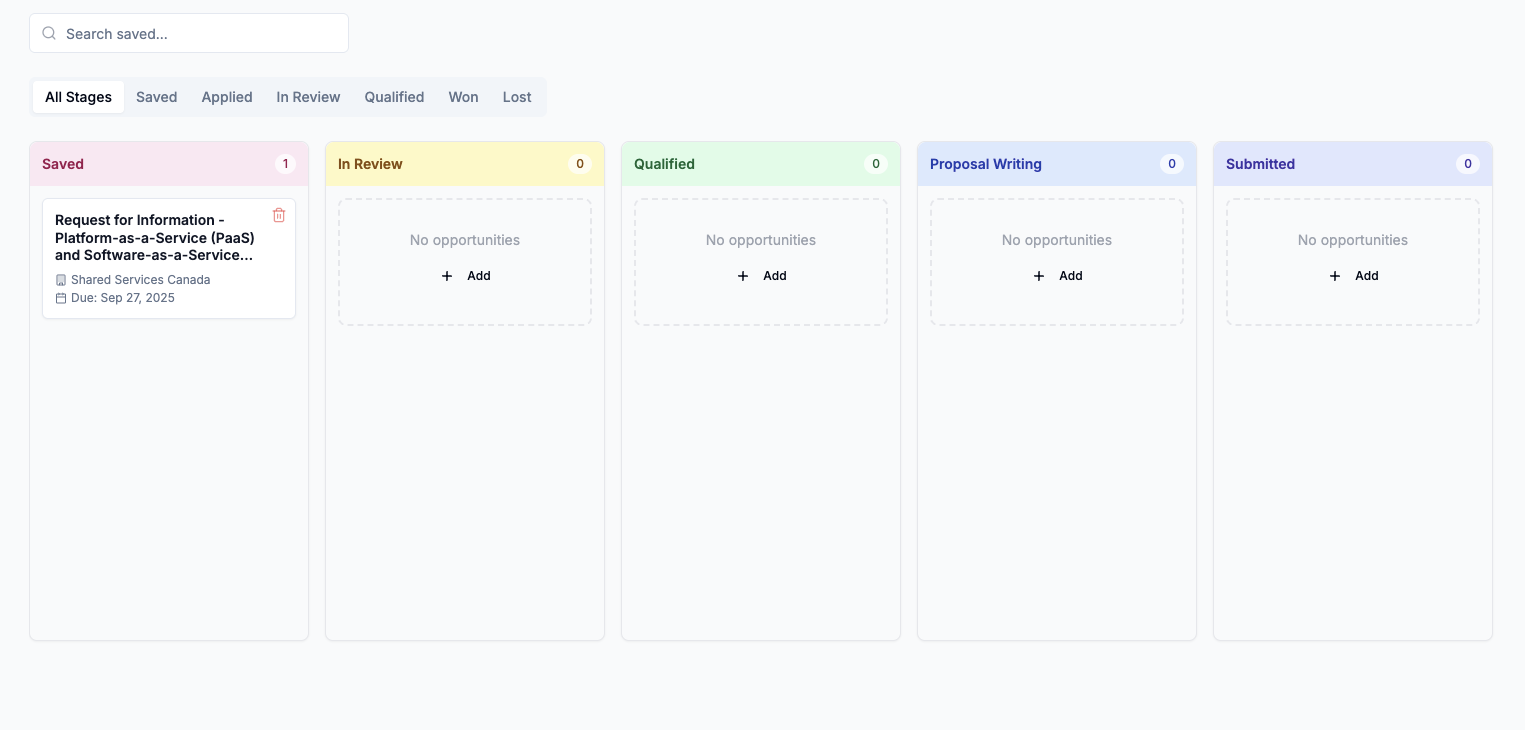
- The Kanban pipeline will load, showing columns for each stage of your bidding process.
Pipeline columns
- Saved - Initial landing spot for all opportunities you bookmark.
- In Review - You're evaluating requirements, gathering information, and deciding next steps.
- Qualified - The bid matches your capabilities and meets internal criteria; ready for proposal drafting.
- Proposal Writing - Active proposal development is underway.
- Submitted - Your response has been sent to the procuring agency.
Future stages like Won / Lost will be available soon.
Using the pipeline
- Drag and drop - Move cards between columns to update status instantly.
- Click a card - Open any card for more details, attachments, or links to the original opportunity page.
- Add notes - Leave internal comments or reminders on each card for collaborator context.
Best practices
- Keep it current. Move cards immediately after each status change to maintain pipeline accuracy.
- Leverage stages. Use distinct columns to reflect your actual process.
- Collaborate early. Share saved opportunities with teammates for input before proposal drafting begins.
Next steps
- Return to Dashboard Overview to catch up on new matches.
- Read Daily Recommended Opportunities to sharpen your qualification routine.
- Explore Search to find opportunities beyond your daily matches.